
With the transition to the National Emergency Response Information System (NERIS) well underway, the clock is ticking on the old NFIRS system. For fire departments, this means taking proactive steps to secure historical data. Your local state or territory might require you to download your NFIRS for records retention, in case you cannot find some old files or bits of paper.
 Adam Jack, Responserack
Mark your calendars: you will not have access to your NFIRS data after January 31, 2026. The system will be permanently decommissioned in February 2026. Many departments are required by local or state policies to retain incident records for a specific number of years. To comply with these retention requirements, you must export your data before the deadline.
Here is the USFA eNFIRS guidance PDF on NFIRS exporting, in case it helps.
The process is straightforward, but it has some limitations you need to be aware of, and takes some time.
Log in to eNFIRS: You’ll need to access the eNFIRS portal to begin your export. If you’re unsure how to do this or need to set up an account, you can follow the steps in our article on getting started with eNFIRS.
Navigate to the Export Page: Once logged in, find the data export section.
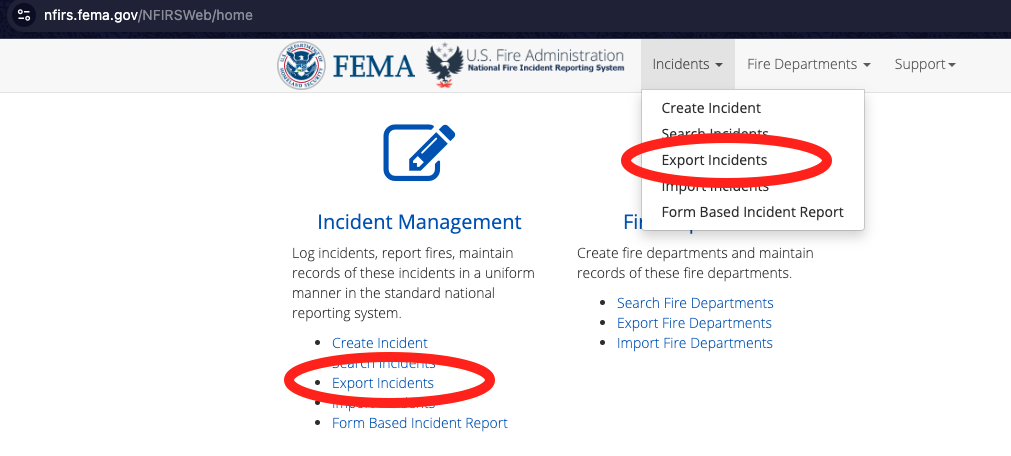
Navigate to the Bulk Export Utility page:
Export One Year at a Time: The system currently has two important constraints: you can only export a maximum of one year’s worth of data at a time, and you can only have one export request processing at any given moment. [Yup, I know, not optimal …]
Start Your Exports:
See the screenshot below, and follow this:
NFIRS-final-2025.BEU_NFIRS-final-2025-2c1672cd-df50-48dc-b194-13d14d2ea15d.zip. (BEU = Batch Export Utility.)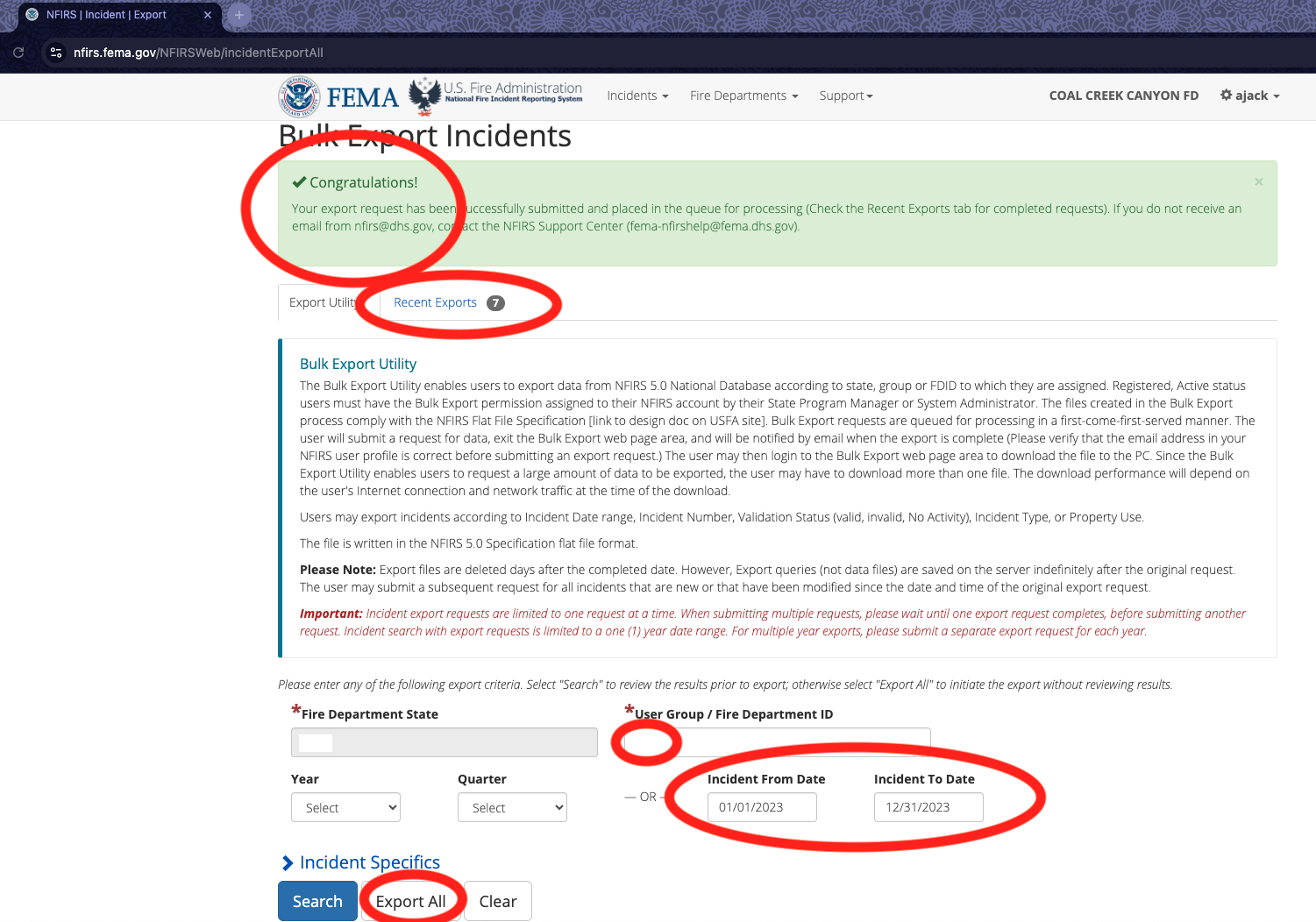
Doing your final NFIRS export
Once you have downloaded the export files, store them in a secure, backed-up location like cloud storage (e.g., Google Drive, Dropbox) or a backed-up hard drive.
NOTE: One good thing about downloading NFIRS is whatever version of NFIRS you uploaded in, the download will now be in NFIRS 5.0 format. Having these reports in the newer format means modern tools can read them, if needed. This, in itself, might be a good reason to download further back in time.
It’s important to know that these exported files are not human-readable; they are in a machine-readable format. If you ever need to review them, the data will need to be converted. Especially for Responserack customers, and in a pinch for other fire departments, Responserack can help convert these files into a human-readable format.
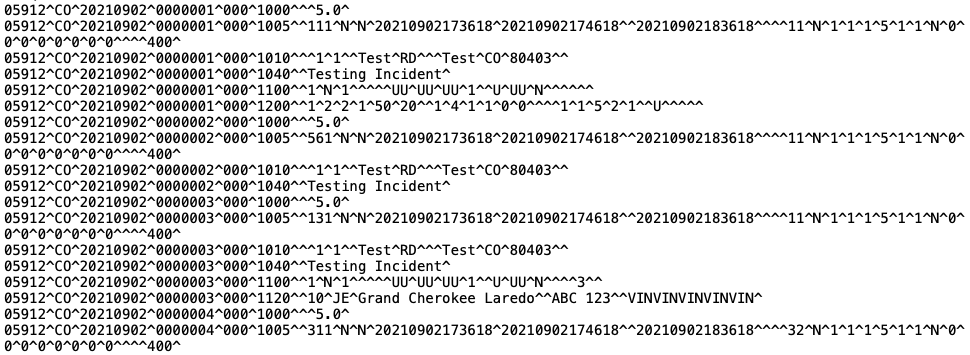
The NFIRS export is compressed gobbledegook
Start this process as soon as possible. If you need to request an eNFIRS login, it could take some time. Furthermore, as the January 31st deadline approaches, the eNFIRS servers will likely become increasingly busy, which could slow down your export process. Get ahead of the rush and ensure your department’s valuable historical data is safe and secure.
This is the eNFIRS help on exporting. It isn’t for a “final export” - so goes into excess detail - but it does allow you to see the process:
Sign up to hear more from Responserack on Volunteer Fire Departments, USFA NERIS and USFA NFIRS.
Responserack provides services for volunteer fire departments; member information services, incident reporting, NFIRS and so much more.